## Why

`textDocument/onTypeFormatting` edits that insert or replace text at an
empty cursor use its right bias and move it past the new text. In paired
tags, pressing Enter can therefore leave the cursor on the closing tag
instead of between the tags.

## What

- Capture a left-biased pin for each empty cursor before requesting
on-type formatting.
- Skip cursor tracking unless a matching language server advertises the
trigger.
- Restore only unchanged empty cursors whose displacement is fully
covered by formatting transaction ranges, so intervening user edits are
preserved.
- Reset vertical movement state when restoring a cursor.

## Testing

- `cargo test -p editor test_on_type_formatting` (5 passed)
- `./script/clippy -p editor`

## References

- Fixes https://github.com/zed-industries/zed/issues/61574

Release Notes:

- Fixed the cursor being moved past text inserted or replaced at its
position during on-type formatting.

---------

Co-authored-by: Kirill Bulatov <kirill@zed.dev>
# Objective
Closes#41744
When a multi-key binding switches from Insert mode to Helix normal mode,
subsequent editing actions can place the cursor incorrectly.
While a printable multi-key binding is pending, Zed temporarily inserts
the pending keys into the buffer. Once the binding is matched, Zed
dispatches the associated action and then deletes the pending text.
Because the buffer uses a CRDT, the deleted text remains as tombstoned
fragments. The cursor can still resolve to the correct visible offset
while its selection anchor remains associated with one of those
fragments, affecting the ordering of subsequent edits.
Among the explicit Vim mode-switch actions, `SwitchToHelixNormalMode` is
the only one that preserves the existing selections:
https://github.com/zed-industries/zed/blob/377382e1966caee4bd829dea2b106c4ab2897045/crates/vim/src/vim.rs#L713-L719
As a result, the tombstone-associated anchor is carried into Helix
normal mode, where later actions such as `o` can place the cursor on the
wrong side of the inserted newline.
The affected path is narrow: a multi-key binding must invoke
`SwitchToHelixNormalMode` from Insert mode. This creates pending text
and then preserves the resulting selection anchors when entering Helix
normal mode.
There are two possible layers at which to address this. At the Editor
layer, selections could be refreshed whenever pending text is removed so
that they no longer reference deleted fragments. At the Vim layer, the
Helix mode transition can explicitly guard against preserving those
anchors.
PR #50918 attempted the broader Editor-layer solution by refreshing
selections after resolving a multi-key binding. However, as discussed in
this review comment:
https://github.com/zed-industries/zed/pull/50918#issuecomment-4411319469,
the more appropriate scope for this reported issue is the Vim
mode-switching layer.
## Solution
Based on PR #50918 and its review feedback, this PR limits the fix to
`SwitchToHelixNormalMode`.
When that action is triggered by pending Insert-mode keystrokes, Vim
refreshes the preserved selection anchors after the pending text is
removed. This keeps the fix scoped to the affected Helix transition
without changing other multi-key bindings.
## Testing
Added a GPUI regression test.
## Self-Review Checklist:
- [x] I've reviewed my own diff for quality, security, and reliability
- [x] Unsafe blocks (if any) have justifying comments
- [x] The content adheres to Zed's UI standards
([UX/UI](https://github.com/zed-industries/zed/blob/main/CONTRIBUTING.md#uiux-checklist)
and
[icon](https://github.com/zed-industries/zed/blob/main/crates/icons/README.md)
guidelines)
- [x] Tests cover the new/changed behavior
- [x] Performance impact has been considered and is acceptable
---
Release Notes:
- Fixed incorrect cursor placement after using a multi-key binding to
leave insert mode in Vim or Helix mode.
---------
Co-authored-by: dino <dinojoaocosta@gmail.com>
# Objective
Fixes#59129.
`vim::HelixJumpToWord` currently treats its two-character target labels
as text input. When an IME is active, the printable label keys can
therefore enter the IME composition window instead of completing the
jump.
## Solution
- Treat an active Helix jump as command input rather than character
input, preventing the platform input handler from preferring the IME for
its label keys.
- After normal keybinding resolution, handle action-less, unmodified
label keydowns directly from the keystroke's ASCII-equivalent key. This
preserves label matching on non-ASCII keyboard layouts while leaving
Escape, custom bindings, and Ctrl/Alt/Cmd/Function shortcuts untouched.
- Stop propagation after consuming a label key so the platform does not
subsequently forward it to the IME.
- Keep the existing committed-text handling as a fallback for other
input paths.
This is complementary to #61270: that PR handles pending GPUI keybinding
chords before IME input, while this change handles Helix jump labels
after the initiating action has resolved. The changes are also
file-disjoint.
## Testing
- Added a regression test using the issue's `s` → `vim::HelixJumpToWord`
binding. The test verifies that:
- no GPUI keybinding chord is pending;
- Helix jump does not accept text input or prefer the IME;
- both raw label keydown events are consumed; and
- the expected jump completes.
- Manually tested on macOS with both ABC and Japanese Romaji input
sources.
## Self-Review Checklist:
- [x] I've reviewed my own diff for quality, security, and reliability
- [x] Unsafe blocks (if any) have justifying comments
- [x] The content adheres to Zed's UI standards
([UX/UI](https://github.com/zed-industries/zed/blob/main/CONTRIBUTING.md#uiux-checklist)
and
[icon](https://github.com/zed-industries/zed/blob/main/crates/icons/README.md)
guidelines)
- [x] Tests cover the new/changed behavior
- [x] Performance impact has been considered and is acceptable
---
Release Notes:
- Fixed Helix jump-to-word label input being intercepted by IMEs.
Self-Review Checklist:
- [x] I've reviewed my own diff for quality, security, and reliability
- [x] Unsafe blocks (if any) have justifying comments
- [x] The content is consistent with the [UI/UX
checklist](https://github.com/zed-industries/zed/blob/main/CONTRIBUTING.md#uiux-checklist)
- [x] Tests cover the new/changed behavior
- [x] Performance impact has been considered and is acceptable
Closes#54231
Related to the Opire Helix keymap bounty on #4642.
/claim #4642
Opire payout: @jamilahmadzai
Release Notes:
- Fixed Helix mode append so pressing Escape without inserting text
restores the original cursor or selection instead of leaving it one
character ahead.
---------
Co-authored-by: Tom Houlé <tom@tomhoule.com>
# Objective

The objective is to improve Helix's default keymap within Zed as a few
are still missing.
These are all [default
keymaps](https://docs.helix-editor.com/keymap.html) i was using within
Helix but dissapointed they weren't working in Zed
There's more info in [Are we Helix
yet?](https://github.com/zed-industries/zed/discussions/33580#top)

## Solution

- Add `] g` and `[ g` for hunk navigation in helix mode, in helix this
is go to next/previous change which maps nicely to Zed's go to
next/previous hunk. (it was set to `c` here but this is incorrect and
doesn't match Helix's keymap.
- Add `alt-b` and `alt-e` for larger syntax node navigation in helix
mode, i use this a few times to go to the top of a function within the
body and Zed doesn't have it mapped.
- Add `] space` and `[ space` for inserting empty lines in helix mode.
This one was incorrectly implemented previously, after the `space` Zed
is waiting for input. It needs to be a direct chord added rather than on
`helix_next` mode.
- This means the space binding from the helix_next operator context is
redundant, so ive removed it
- Add `*` to use selection for find in helix mode. Helix mode is
slightly different and doesn't "go to next" on `*`, instead that becomes
the `/` register. This is pretty fundamental to helix navigation so
should be ported to Zed also.
- Move `] d` and `[ d` diagnostics navigation into helix_normal context.
Vim was already using this one but it wasn't shared with Helix. I've
moved it to the shared Vim and Helix block.


## Testing

I've tested these changes with a local build and each one works as
expected


## Self-Review Checklist:

- [x] I've reviewed my own diff for quality, security, and reliability
- [x] Unsafe blocks (if any) have justifying comments
- [x] The content adheres to Zed's UI standards
([UX/UI](https://github.com/zed-industries/zed/blob/main/CONTRIBUTING.md#uiux-checklist)
and
[icon](https://github.com/zed-industries/zed/blob/main/crates/icons/README.md)
guidelines)
- [x] Tests cover the new/changed behavior
- [x] Performance impact has been considered and is acceptable

Release Notes:

- Added `alt-b`/`alt-e` in Helix mode to move to the start/end of the
larger syntax node.
- Added `*` in Helix mode to set the current selection for search.
- Fixed Helix `[`/`]` navigation so `c` goes to the previous/next
comment and `g` to the previous/next hunk, and single-key follow-ups
like `g` no longer hang.

---------

Co-authored-by: dino <dinojoaocosta@gmail.com>
Resolves https://github.com/zed-industries/zed/issues/57522

This diff fixes `r` in Helix select mode. The keybinding already pushed
the replace operator in `helix_select`, but when the replacement
character was typed, the operator dispatch only handled `HelixNormal`,
so selected text in `HelixSelect` fell through and cleared the operator
without editing the buffer.

With this change, Helix select mode uses the same `helix_replace` path
as Helix normal mode. Multi-character selections now replace each
selected grapheme with the typed character and return to Helix normal
mode, matching the existing behaviour for Helix normal selections.

Release Notes:
- Fixed `r` not replacing multi-character selections in Helix select
mode.
Resolves https://github.com/zed-industries/zed/issues/57486

This diff fixes `g w` after selecting lines with `x` in Helix mode. `x`
leaves Zed in Helix normal mode with a non-empty selection, but jump
target collection treated non-visual selections as ranges to skip. As a
result, words on the selected line did not receive jump labels.

With this change, Helix normal mode keeps existing selection ranges
eligible for jump targets, matching Helix's behavior where normal mode
can still carry selections. The regression covers `x` followed by `g w`
targeting a word inside the selected line.

Release Notes:

- Fixed `g w` not targeting words on lines selected with `x` in Helix
mode.

---------

Co-authored-by: Smit Barmase <heysmitbarmase@gmail.com>
Closes#55481
Adds Vim-mode access to the existing Helix jump-to-word overlay via `g
z`. We use `g z` because it is currently unassigned in Vim mode, while
`g w` is already used for rewrap.
Most of the implementation lives in `helix.rs` because the existing jump
overlay, label generation, and Helix/Vim modal behavior are currently
intertwined there. This keeps the change small and reuses the existing
navigation overlay logic instead of doing a broader refactor.
In Vim normal mode, jump labels behave like a cursor motion: selecting a
label moves the cursor to the start of the target word without selecting
it. In Vim visual mode, jump labels extend the selection like a Vim
word-start motion, preserving Vim’s inclusive visual-selection behavior.
Self-Review Checklist:
- [x] I've reviewed my own diff for quality, security, and reliability
- [x] Unsafe blocks (if any) have justifying comments
- [x] The content is consistent with the [UI/UX
checklist](https://github.com/zed-industries/zed/blob/main/CONTRIBUTING.md#uiux-checklist)
- [x] Tests cover the new/changed behavior
- [x] Performance impact has been considered and is acceptable
Release Notes:
- Added Vim-mode jump-to-word navigation on `g z`.
Self-Review Checklist:

- [x] I've reviewed my own diff for quality, security, and reliability
- [x] Unsafe blocks (if any) have justifying comments
- [x] The content is consistent with the [UI/UX
checklist](https://github.com/zed-industries/zed/blob/main/CONTRIBUTING.md#uiux-checklist)
- [x] Tests cover the new/changed behavior
- [x] Performance impact has been considered and is acceptable

Closes #ISSUE

Release Notes:

- Added a setting
[vim.show_edit_predictions_in_normal_mode](zed://settings/vim.show_edit_predictions_in_normal_mode)
to control whether edit predictions are shown in normal mode.
Instead of manually handing hiding the cursor on keyboard input at the
editor level, GPUI will now take care of it.

This makes it significantly easier to handle the edge cases, and allows
delegating the cursor restoration to the platform itself in the macOS
case. On Linux and Windows, we still have to restore the cursor on
movement ourselves, but this now happens at the platform-specific level.

Bugs fixed by this change:
- No cursor when "Unsaved edits" prompt appears
- Cursor disappears when clicking a panel button if it contains a search
bar (e.g. collab panel)

### Setting rename

The `hide_mouse` setting value `"on_typing_and_movement"` has been
renamed to `"on_typing_and_action"` to better reflect what it actually
does — it hides the cursor when a keystroke resolves to an action (e.g.
cursor movement, deletion). Existing settings are migrated
automatically.

### Tested platforms
- [x] macOS
- [x] Wayland
- [x] X11
- [x] Windows
- [x] Web

Self-Review Checklist:

- [x] I've reviewed my own diff for quality, security, and reliability
- [x] Unsafe blocks (if any) have justifying comments
- [x] The content is consistent with the [UI/UX
checklist](https://github.com/zed-industries/zed/blob/main/CONTRIBUTING.md#uiux-checklist)
- [ ] Tests cover the new/changed behavior
- [x] Performance impact has been considered and is acceptable

Release Notes:

- Renamed the `hide_mouse` setting value `on_typing_and_movement` to
`on_typing_and_action` to better describe its behavior (existing
settings are auto-migrated)
- Fixed a few situations where the mouse cursor would be incorrectly
hidden
No, sadly, the title is not a typo. See
https://www.githubstatus.com/incidents/zsg1lk7w13cf for the context.
I'll read with joy and popcorn through that root cause analysis.

It makes literally zero sense what happened here, but for some completly
bonkers reason GitHub completely messed up the merge queue with
https://github.com/zed-industries/zed/pull/54632.

I have no idea how it happened. It makes literally zero sense. A PR
going into the merge queue should have the same LoC when getting out of
it. GitHub obviously does not check this. GitHub causes extra work with
a feature that is supposed to save time.

Thanks, I guess.

Release Notes:

- N/A

---------

Co-authored-by: Danilo Leal <daniloleal09@gmail.com>
This PR brings back the button to filter remote branches when accessing
the title bar's branch picker with the mouse. It was unintentionally
removed when we introduced the new worktree picker.

Release Notes:

- N/A
# Helix Amp Jump Navigation
## Overview
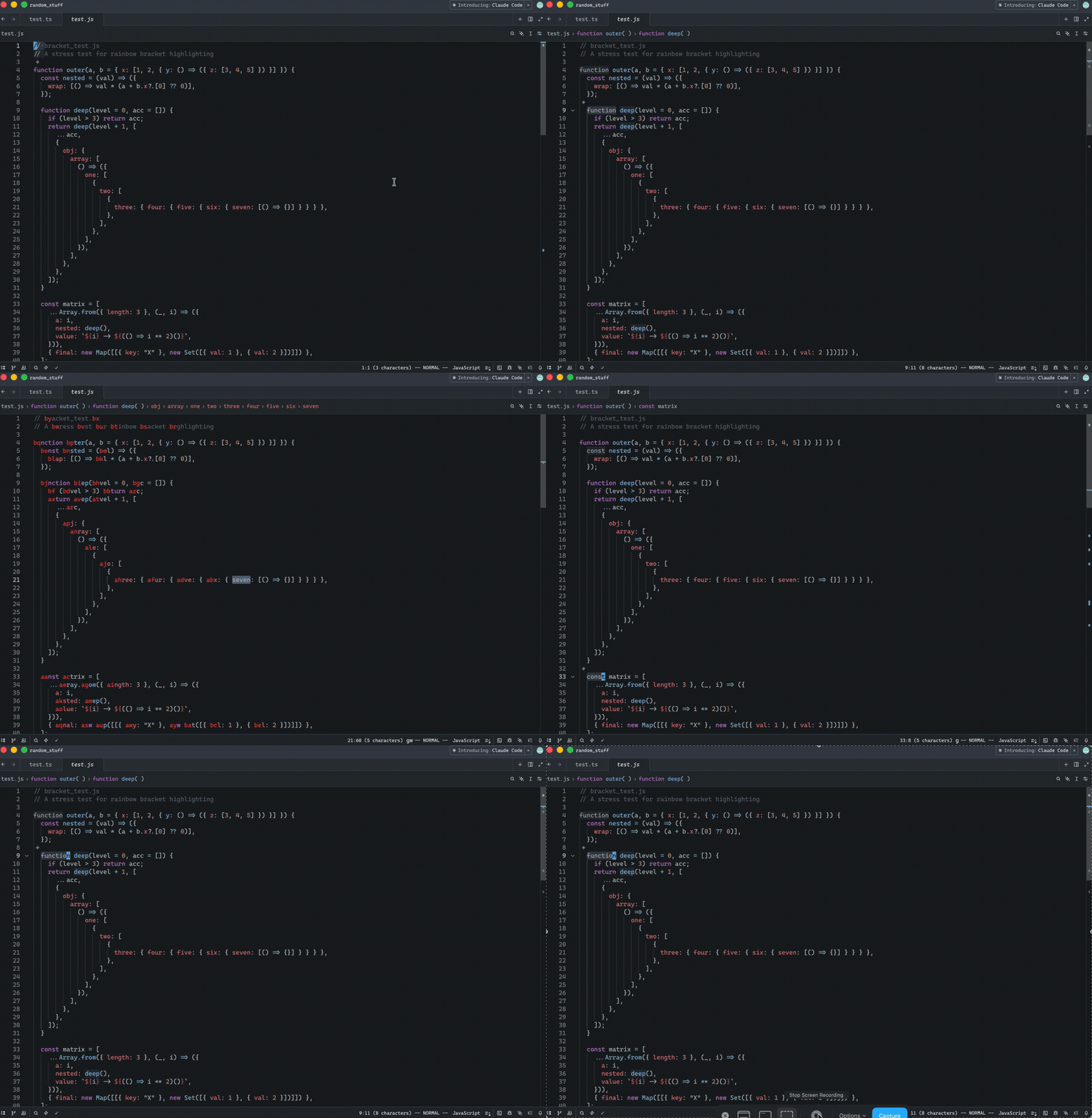
Implements Helix-style "amp jump" (`g w`) navigation for jump-to-word
functionality. This feature displays two-character labels on each word
in the visible area, allowing users to quickly jump to any word by
typing its label. Labels alternate between forward and backward
directions (same algorithm as in the Helix) from the cursor position,
giving closer jump targets easier-to-type labels.
## Context
- **Request:** Implement "amp jump" navigation similar to Helix editor's
jump-to-word feature.
- **Scope:** Full implementation including label generation, UI
rendering, and input handling.
- **Inspiration:** Helix editor's "amp jump" and vim-easymotion/hop.nvim
plugins.
## How It Works
1. Press `g w` to activate "amp jump"
2. Two-character labels appear on all words in visible area
3. User types the two-character label shown on the target word
4. Cursor jumps to that word
Release Notes:
- Added in Helix mode the "amp jump" navigation (`g w`) that displays
two-character labels on words for quick cursor navigation. Labels
alternate between forward and backward directions from the cursor,
prioritizing closer targets with easier-to-type labels. The color of the
labels can be controlled via a new `helix.jump_label_accent` setting
---------
Co-authored-by: Jakub Konka <kubkon@jakubkonka.com>
Self-Review Checklist:
- [x] I've reviewed my own diff for quality, security, and reliability
- [ ] Unsafe blocks (if any) have justifying comments
- [x] The content is consistent with the UI/UX checklist
- [x] Tests cover the new/changed behavior
- [x] Performance impact has been considered and is acceptable
Closes#52352
Release Notes:
- Fixed system clipboard being overwritten when pasting over a visual
selection with Cmd-V/Ctrl-V in vim mode
## Context
Closes#46698
This PR fixes a bug where the `cs` (change surrounds) operator fails on
symmetric delimiters like quotes.
In a sequence like `c s ' "`, Zed previously performed two independent
searches. For a line like `I'm 'goˇod'`, the first step (`cs'`)
correctly moves the cursor to the second quote: `I'm ˇ'good'`. However,
when the replacement character `"` is pressed, `change_surrounds` would
perform another scan from the new cursor position. Because quotes are
symmetric, this second search would incorrectly match `'m '` as the
target pair, leading to a broken result like `I"m "good'`.
I've refactored the workflow to ensure the search happens only once.
`prepare_and_move_to_valid_bracket_pair` now computes and stores the
`Anchor` positions of the detected pair directly into the operator
state. `change_surrounds` then simply reuses these anchors instead of
re-executing the search. This ensures correctness for quotes while
remaining consistent with Vim/Neovim cursor behavior. While this
slightly increases coupling between these two functions, it is an
intentional trade-off since they exclusively serve the `cs` operation.
## How to Review
The main changes are in `crates/vim/src/surrounds.rs`. I renamed
`check_and_move_to_valid_bracket_pair` to
`prepare_and_move_to_valid_bracket_pair` and updated it to return the
detected bracket anchors. In `change_surrounds`, I removed the redundant
search logic and updated it to perform the replacement using the
provided anchors. You can also see the updated
`Operator::ChangeSurrounds` enum variant in `crates/vim/src/state.rs`
which now carries the anchor data.
## Self-Review Checklist
<!-- Check before requesting review: -->
- [x] I've reviewed my own diff for quality, security, and reliability
- [x] Unsafe blocks (if any) have justifying comments
- [x] The content is consistent with the [UI/UX
checklist](https://github.com/zed-industries/zed/blob/main/CONTRIBUTING.md#uiux-checklist)
- [x] Tests cover the new/changed behavior
- [x] Performance impact has been considered and is acceptable
Release Notes:
- Fixed an issue where the `cs` Vim operator incorrectly identified
symmetric quotes in certain contexts.
---------
Co-authored-by: Conrad Irwin <conrad.irwin@gmail.com>
When the Agent panel (or any dock panel without its own pane) is focused
and a file is open in the center editor, pressing `/` in vim mode would
steal focus to the buffer's search bar instead of staying on the panel.

## Root cause

`Vim::pane()` calls `workspace.focused_pane()`, which falls back to the
center pane when a dock panel without its own `pane()` method is
focused. Vim search commands then open the `BufferSearchBar` on the
center pane and focus it, stealing focus from the panel.

## Fix

Add a guard in `Vim::pane()` that returns `None` when the resolved pane
doesn't actually contain focus. This prevents all vim search/match
commands (`/`, `?`, `n`, `N`, `*`, `#`, etc.) from stealing focus from
non-pane panels.

All 497 vim tests and 253 agent_ui tests pass.

Release Notes:

- Fixed vim search (`/`) stealing focus from the Agent panel when a file
is open in the editor.
Closes#4751
## Testing
- Manually tested by comparing the behaviors with vscode.
- Those requirements are added to unit tests.
Release Notes:
- Added action to toggle block comments
---------
Co-authored-by: ozacod <ozacod@users.noreply.github.com>
Closes#48007
Release Notes:
- Added editor setting for changing regex mode default in vim searches
Summary:
- Based on the report in #48007 and the discussion here
https://github.com/zed-industries/zed/pull/48127#issuecomment-3838678903
- There was feedback mentioning that vim-mode needs to default
vim-searches to use regex-mode (even when the editor regex-search
setting is disabled). However, it was suggested that a vim search
setting could be configured to adjust this behaviour.
- In this PR a new vim setting was added to change whether vim-searches
will use regex-mode by default, so now users can can configure
vim-search to not use regex-mode when typing the `/` character (or using
the vim search command).
Screen Captures:
https://github.com/user-attachments/assets/172669fb-ab78-41a1-9485-c973825543c5
When vim mode is enabled, previously if Cmd-F (or platform equivalent)
was pressed, enter will go to the editor's first match, and then hitting
enter again goes to the next line rather than next match. This PR
changes it to make enter go to the next match, which matches the
convention in most other programs. The behavior when search is initiated
with / is left unchanged.
This is a reopen of #35157, rebased and fixed.
Closes#7692
Release Notes:
- In vim mode, when search is triggered by the non-vim mode shortcut
(cmd-f by default) enter will now behave as it does outside of vim mode.
---------
Co-authored-by: Conrad Irwin <conrad.irwin@gmail.com>
Add a `wrap_around` field, defaulting to `true`, to both
`pane::ActivatePreviousItem` and `pane::ActivateNextItem` actions to
optionally disable wrapping when cycling past the first or last tab.

Release Notes:

- Added a `wrap_around` option to both `pane::ActivatePreviousItem` and
`pane::ActivateNextItem` actions to optionally disable wrapping when
cycling past the first or last tab.

---------

Co-authored-by: Claude Opus 4.6 <noreply@anthropic.com>
Co-authored-by: dino <dinojoaocosta@gmail.com>
Self-Review Checklist:

- [ ] I've reviewed my own diff for quality, security, and reliability
- [ ] Unsafe blocks (if any) have justifying comments
- [ ] The content is consistent with the [UI/UX
checklist](https://github.com/zed-industries/zed/blob/main/CONTRIBUTING.md#uiux-checklist)
- [ ] Tests cover the new/changed behavior
- [ ] Performance impact has been considered and is acceptable

Closes #ISSUE

Release Notes:

- N/A
Fix Helix `o`/`O` behavior when a selection is active.
This updates `InsertLineAbove` and `InsertLineBelow` to use the
selection bounds correctly for Helix selections, including line
selections whose end is represented at column 0 of the following line.
It also adds Helix select-mode keybindings for `o` and `O`, and adds
tests covering both line selections and selections created via `v`.
Closes#43210
Release Notes:
- helix: Fixed insert line above/below behavior when a full line is
selected
---------
Co-authored-by: dino <dinojoaocosta@gmail.com>
* Update `Vim::register` to correctly re-activate when either `vim_mode`
or `helix_mode` are enabled, when they were previously disabled.
* Update `settings_ui::page_data::keymap_page` such that, when enabling
or disabling `vim_mode` or `helix_mode`, the other setting is
disabled, in case it is set. This ensures that only one mode is
enabled at a time, as it should be.
Closes#51704
Release Notes:
- Fixed switching between vim and helix mode needing multiple calls to
have an effect while an editor is already open
- Update Settings UI such that, enabling vim or helix mode, now disables
the other if it was previously active
---------
Co-authored-by: dino <dinojoaocosta@gmail.com>
When a command used an explicit register (e.g. `"_dd` or `"add`), the
subsequent dot repeat (`.`) was ignoring that register and using the
default instead.
Store the register at recording start in `recording_register_for_dot`,
persist it to `recorded_register_for_dot` when recording stops, and
restore it in `Vim::repeat` when no explicit register is supplied for
`.`. An explicit register on `.` (e.g. `"b.`) still takes precedence.
This commit also updates the dot-repeat logic to closely follow Neovim's
when using numbered registers, where each dot repeat increments the
register. For example, after using `"1p`, using `.` will repeat the
command using `"2p`, `"3p`, etc.
Closes#49867
Release Notes:
- Fixed vim's repeat . to preserve the register the recorded command
used
- Updated vim's repeat . to increment the recorded register when using
numbered registers
---------
Co-authored-by: dino <dinojoaocosta@gmail.com>
https://github.com/zed-industries/zed/pull/42837 added the
`cursor_offset_on_selection` field, which displays the cursor *after*
the end of the selection unless a vim visual mode is enabled, in which
case it gets displayed *at* the end of the selection.
However, the real helix is effectively *always* in select mode, and will
always display the cursor at the end of the selection, whether that
selection is made via its visual mode, a movement key, or with the
mouse.
This makes it so that the helix mode setting is taken into account
regardless of the visual-ness of the vim mode in the `sync_vim_settings`
method.
I also considered simply moving `Mode::HelixNormal` up to the `true` arm
of the match in the `is_visual` method since helix is kinda *always* in
visual mode, but I figured that could have some unintended consequences
and chose to err on the side of caution.
Possibly related to #20121Closes#46998
Release Notes:
- Fixed the cursor offset in non-visual helix selections
Co-authored-by: Nils Koch <mail@nilskch.dev>
Fixes#42444
- Changed `accepts_text_input` on the editor to be more precise.
Previously, it returned `true` only in insert mode. Now it also returns
`true` when an operator is pending.
- On Windows, we disable the IME whenever there is no input handler
which `accepts_text_input`.
- How this improves Vim mode: in insert mode, the IME is enabled; in
normal mode, it is disabled (command keys are not intercepted); when an
operator is pending, the IME is re-enabled.
Release Notes:
- On Windows, the IME is disabled in Vim normal and visual modes.
Replaces a bunch of `impl FnMut` parameters with `&mut dyn FnMut` for
functions where this is the sole generic parameter.
Release Notes:

- N/A *or* Added/Fixed/Improved ...
The multi workspace refactor **completely** broke the Vim mode, saving
is not possible, and various other actions. This PR fixes this

- [X] Code Reviewed
- [X] Manual QA

Release Notes:

- N/A
Fixes#8048
## Summary
In vim mode, pressing Escape to dismiss the buffer search now correctly
restores the cursor to its original position, rather than leaving it at
the first match.
## Problem
When using vim's `/` command to search:
1. User positions cursor at line X
2. User presses `/` to open search, types a query
3. Matches are highlighted, cursor may visually jump to first match
4. User presses Escape to dismiss without navigating
5. **Bug:** Cursor ends up at first match instead of line X
This breaks vim parity where Escape should cancel the search and restore
cursor position.
## Solution
The fix leverages the `focused()` callback in `vim.rs`, which is called
when the editor regains focus after the search bar is dismissed.
**Key insight:** When search starts via `/`, the cursor position is
saved in `SearchState.prior_selections`. When search is *submitted* with
Enter, `search_submit()` drains these selections. But when search is
*dismissed* with Escape, they remain.
So in `focused()`, if:
- `prior_selections` is non-empty, AND
- The search bar's `is_dismissed()` returns true
...then we know the user dismissed the search (Escape) rather than
submitted it (Enter), and we restore the cursor.
## Why not handle `buffer_search::Dismiss` directly?
The initial approach tried to register a vim handler for the `Dismiss`
action. This didn't work because when Escape is pressed, the search bar
(which has focus) handles the `Cancel` action internally and calls its
`dismiss()` method directly—it doesn't dispatch `Dismiss` through the
action system. The vim handler registered on the editor was never
invoked.
## Test Plan
- Added `test_search_dismiss_restores_cursor` — verifies cursor
restoration when search is dismissed
- Added `test_search_dismiss_restores_cursor_no_matches` — verifies
behavior when query has no matches
- All 455 vim tests pass
- Manual testing confirms fix works with both `/` and `cmd-f`
## Release Notes
- Fixed vim mode: cursor now returns to original position when
dismissing buffer search with Escape (#8048)
---------
Co-authored-by: Claude Opus 4.5 <noreply@anthropic.com>
Add support for Vim's `gdefault` option which makes the `:substitute`
command replace all matches in a line by default, instead of just the
first match. When enabled, the `/g` flag inverts this behavior.
- Add `vim.gdefault` setting
- Add `:set gdefault`, `:set nogdefault` (and short forms `:set gd`, `:set nogd`)
- Fix handling of multiple `/g` flags so that each one inverts the one before
Closes#36209
Release Notes:
- vim: Add `vim.gdefault` setting to make `/g` (replace all matches in a line) the default for substitutions, along with `:set gdefault` and `:set nogdefault` commands (short forms: `gd`, `nogd`)
---------
Co-authored-by: dino <dinojoaocosta@gmail.com>
Previously, when project search results first appeared, vim would
incorrectly switch to Visual mode. This happened because vim settings
(including `collapse_matches`) weren't synced to an editor until it
received focus. Since the results editor wasn't focused when the first
match was selected, the selection wasn't collapsed, causing vim to
interpret it as a visual selection.
Now vim settings are synced immediately when vim activates on an editor,
ensuring `collapse_matches` is set before any selections are made.
Closes#43878
Release Notes:
- Fixed vim mode incorrectly switching to Visual mode on first project
search
---------
Co-authored-by: dino <dinojoaocosta@gmail.com>
In a previous Pull Request, a new field was added to `editor::Editor`,
namely `cursor_offset_on_selection`, in order to control whether the
cursor representing the head of a selection should be positioned in the
last selected character, as we have on Vim mode, or after, like we have
when Vim mode is disabled.

This field would then be set by the `vim` crate, depending on the
current vim mode. However, it was noted that
`vim_mode_setting::VimModeSetting` already exsits and allows other
crates to determine whether Vim mode is enabled or not. Since we're
already checking `!range.is_empty()` in
`editor::element::SelectionLayout::new` we can then rely on simply
determining whether Vim mode is enabled to decide whether tho shift the
cursor one position to the left when making a selection.

As such, this commit removes the `cursor_offset_on_selection` field, as
well as any related methods in favor of a new `Editor.vim_mode_enabled`
method, which can be used to achieve the same behavior.

Relates to #42837

Release Notes:

- N/A
Vim visual mode and Helix selection mode both require the cursor to be
on the last character of the selection. Until now, this was implemented
by offsetting the cursor one character to the left whenever a block
cursor is used. (Since the visual modes use a block cursor.)
However, this oversees the problem that **some users might want to use
the block cursor without being in visual mode**. Meaning that the cursor
is offset by one character to the left even though Vim/Helix mode isn't
even activated.
Since the Vim mode implementation is separate from the `editor` crate
the solution is not as straightforward as just checking the current vim
mode. Therefore this PR introduces a new `Editor` struct field called
`cursor_offset_on_selection`. This field replaces the previous check
condition and is set to `true` whenever the Vim mode is changed to a
visual mode, and `false` otherwise.
Closes#36677 and #20121
Release Notes:
- Fixes block and hollow cursor being offset when selecting text
---------
Co-authored-by: dino <dinojoaocosta@gmail.com>
Update the `Vim.deactivate` method to ensure that the cursor shape is
reset to the one available in the user's settings, in the `cursor_shape`
setting, instead of simply defaulting to `CursorShape::Bar`.

In order to test this behavior, the `Editor.cursor_shape` method was
also introduced.

Release Notes:

- Fixed the cursor shape reset in vim mode deactivation, ensuring that
the user's `cursor_shape` setting is used

---------

Co-authored-by: dino <dinojoaocosta@gmail.com>
This bug seems to be caused by pushing an operator (i.e. `d`) followed
by a repeat (i.e. `.`) so the recording includes the push operator and
the repeat. When this is repeated (i.e. `.`) it causes an infinite loop.

This change fixes this bug by pushing a ClearOperator action if there is
an ongoing recording when repeat is called.

Release Notes:

- Fixed bug where pressing `d . .` in Vim mode would freeze the editor.

---------

Co-authored-by: dino <dinojoaocosta@gmail.com>
This PR introduces a new `MultiBufferOffset` new type wrapping size. The
goal of this is to make it clear at the type level when we are
interacting with offsets of a multi buffer versus offsets of a language
/ text buffer. This improves readability of things quite a bit by making
it clear what kind of offsets one is working with while also reducing
accidental bugs by using the wrong kin of offset for the wrong API.

This PR also uncovered two minor bugs due to that.

Does not yet introduce the MultiBufferPoint equivalent, that is for a
follow up PR.

Release Notes:

- N/A *or* Added/Fixed/Improved ...
This PR redoes the desired behavior changes of #41583 (reverted in
#42892) but less invasively
Closes#41125Closes#41164
Release Notes:
- N/A
Co-authored-by: Conrad Irwin <conrad.irwin@gmail.com>
