 Haojian Wu
ea11328103
Haojian Wu
ea11328103
There is no default binding for `{#kb tab_switcher::ToggleAll}`, so the
doc is rendered as:

<img width="1330" height="227" alt="image"
src="https://github.com/user-attachments/assets/a5ce2efd-69c4-4eb4-a28b-3fdb7825ce34"
/>

Release Notes:

- N/A
45 lines
2.1 KiB
Markdown
45 lines
2.1 KiB
Markdown
# Tab Switcher
|
|
|
|
The Tab Switcher provides a quick way to navigate between open tabs in Zed. It
|
|
displays a list of your open tabs sorted by recent usage, making it easy to jump
|
|
back to whatever you were just working on.
|
|
|
|
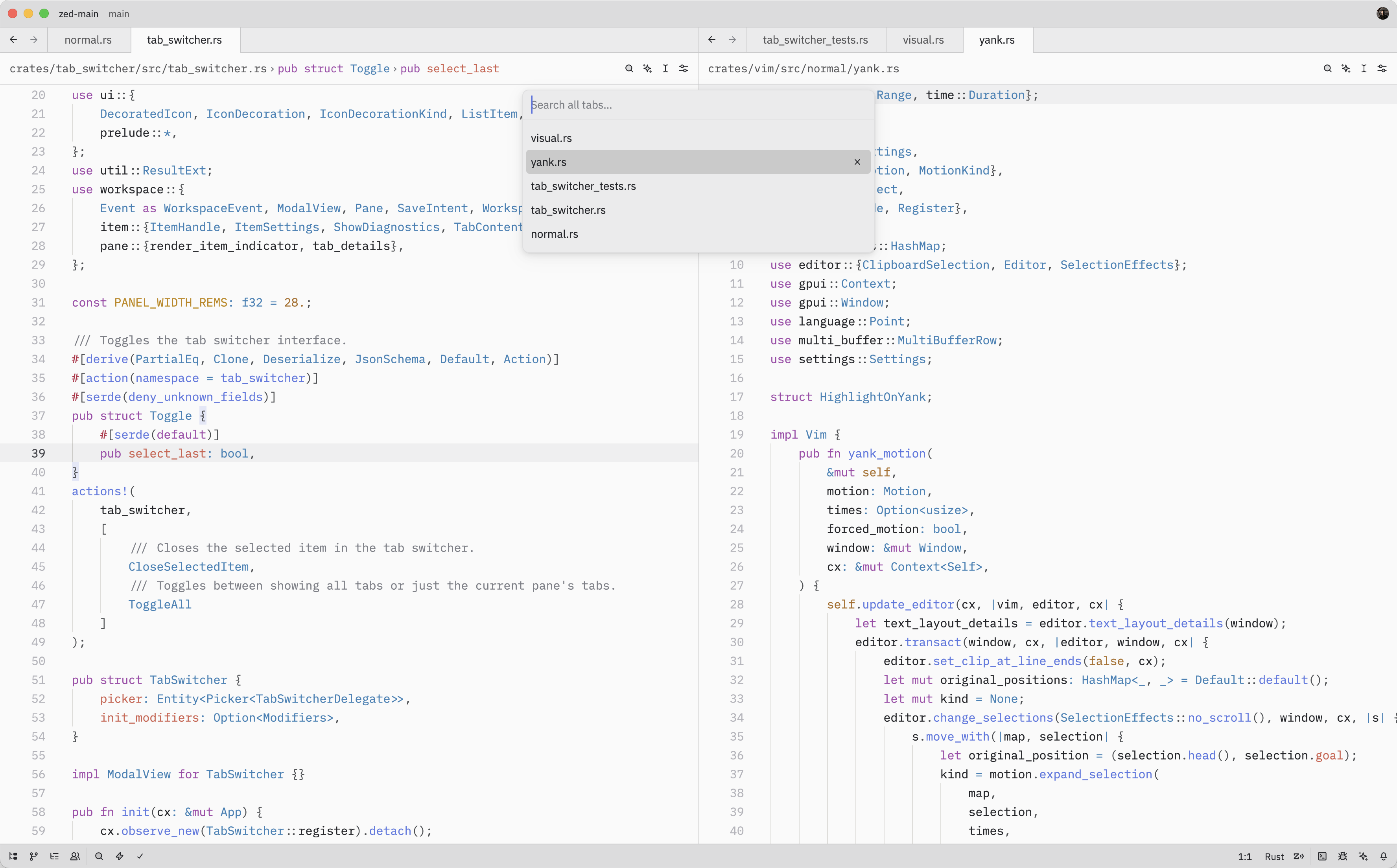
|
|
|
|
## Quick Switching
|
|
|
|
When the Tab Switcher is opened using {#kb tab_switcher::Toggle}, instead of
|
|
running the {#action tab_switcher::Toggle} from the command palette, it'll stay
|
|
active as long as the <kbd class="keybinding">ctrl</kbd> key is held down.
|
|
|
|
While holding down <kbd class="keybinding">ctrl</kbd>, each subsequent <kbd
|
|
class="keybinding">tab</kbd> press cycles to the next item (<kbd
|
|
class="keybinding">shift</kbd> to cycle backwards) and, when <kbd
|
|
class="keybinding">ctrl</kbd> is released, the selected item is confirmed and
|
|
the switcher is closed.
|
|
|
|
## Opening the Tab Switcher
|
|
|
|
The Tab Switcher can also be opened with either {#action tab_switcher::Toggle} ({#kb tab_switcher::Toggle})
|
|
or {#action tab_switcher::ToggleAll}.
|
|
|
|
While the Tab Switcher is open, you can:
|
|
|
|
- Press {#kb menu::SelectNext} to move to the next tab in the list
|
|
- Press {#kb menu::SelectPrevious} to move to the previous tab
|
|
- Press <kbd class="keybinding">enter</kbd> to confirm the selected tab and close the switcher
|
|
- Press <kbd class="keybinding">escape</kbd> to close the switcher and return to the original tab from which
|
|
the switcher was opened
|
|
- Press {#kb tab_switcher::CloseSelectedItem} to close the currently selected tab
|
|
|
|
As you navigate through the list, Zed will update the pane's active item to
|
|
match the selected tab.
|
|
|
|
## Action Reference
|
|
|
|
| Action | Description |
|
|
| ----------------------------------------- | ------------------------------------------------- |
|
|
| {#action tab_switcher::Toggle} | Open the Tab Switcher for the current pane |
|
|
| {#action tab_switcher::ToggleAll} | Open the Tab Switcher showing tabs from all panes |
|
|
| {#action tab_switcher::CloseSelectedItem} | Close the selected tab in the Tab Switcher |
|